In UbuntuFabric you can define and publish API endpoints, in order to share data with partners, customers etc.
Note that these API endpoints can also be used to capture incoming webhook events. Alternatively you can use the built-in webhook URL for your account to capture incoming webhooks events.
Publishing an API endpoint
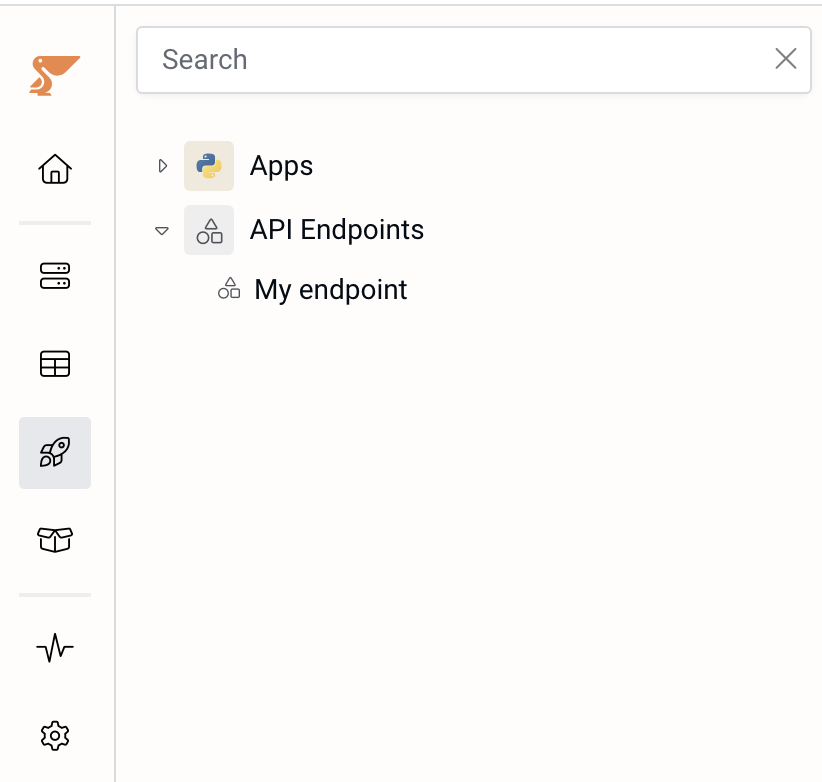
In UbuntuFabric, go to the Build section, and click the “+” icon when hovering over “API endpoints”:
Add a new endpoint and link it to a Python script of type “API handler”. See below on how to write a low-code Python script to handle the API requests.
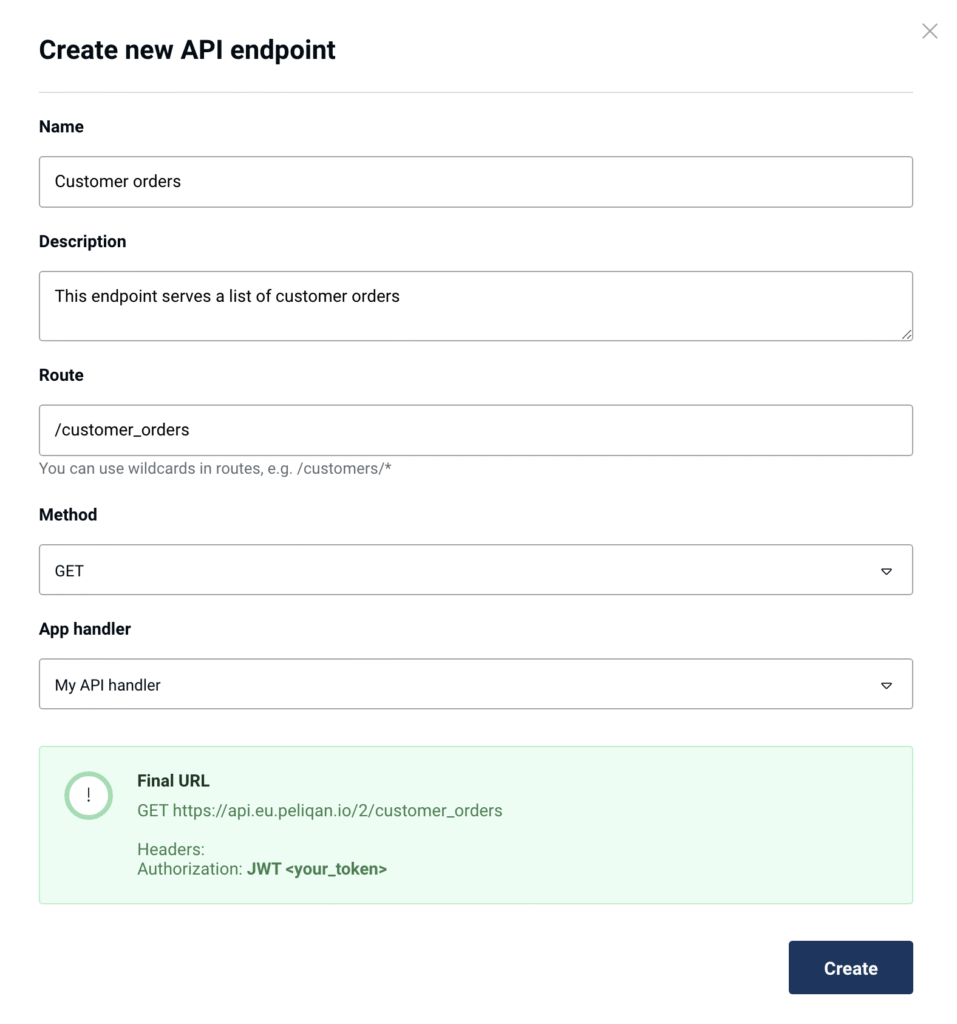
Choose the Authorization:
- JWT Authorization: create a JWT web token under Settings > Security, and use this in the Authorization header to authenticate when consuming this API endpoint.
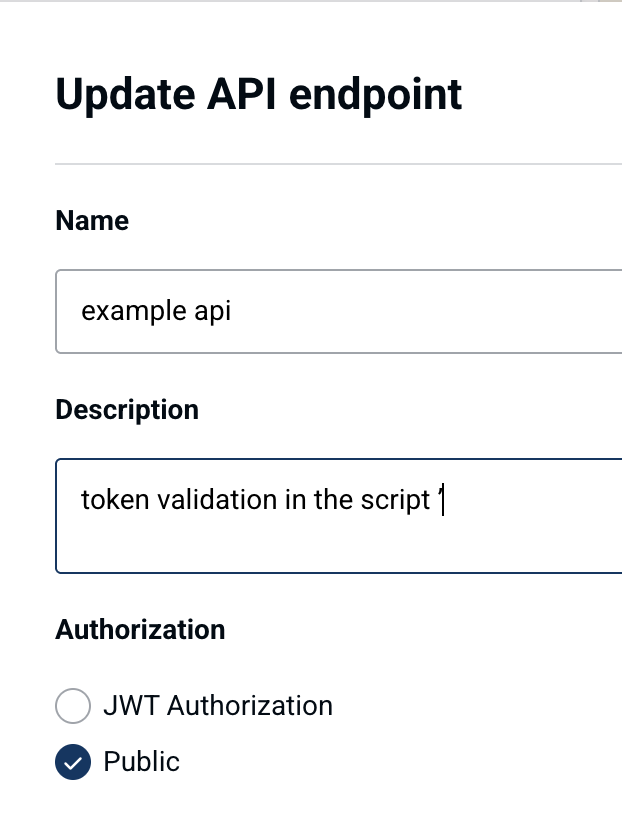
- Public: no authorization, use this when you implement your own authentication scheme with e.g. multiple API keys (see below)
The full URL of your API endpoint is shown on the API endpoint detail screen, as you can see in the above screenshot.
Adding a Python script to handle API requests
In UbuntuFabric, go to the Build section, and click the “+” icon when hovering over “Apps”. Add a script (app) of type “API endpoint handler”:
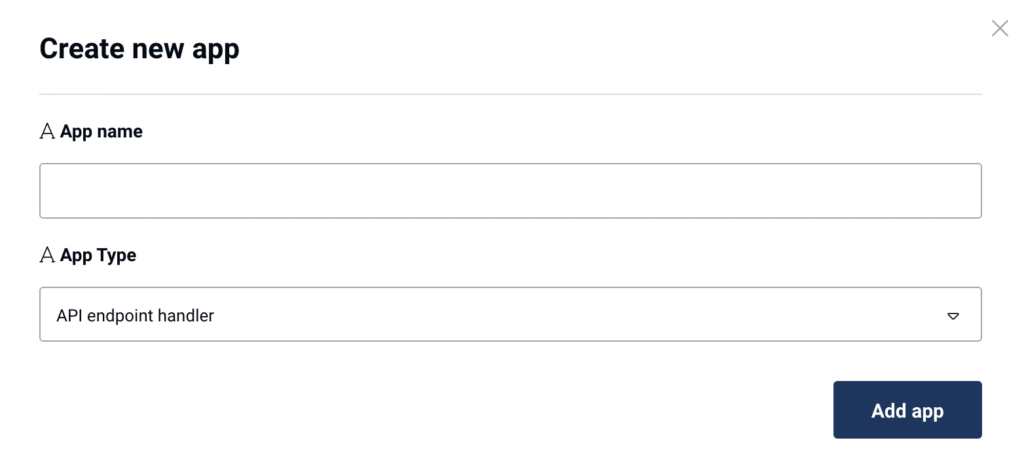
The new script will have some boilerplate example code, that shows how you can get the details of the incoming request (such as the body, headers, querystring etc.) and how you can send a response:
def handler(request):
	# Get request details:
	method = request['method']
  url = request['url']
  path = request['path']
  query_string = request['query_string']
  headers = request['headers']
  data = request['data']
  form = request['form']

	# Example reading a parameter from the querystring
	from urllib.parse import parse_qs
  query_string_dict = parse_qs(query_string)
  if "param1" in query_string_dict:
	  param1 = query_string_dict['param1'][0]

  # Example reading data from an incoming POST body with JSON
  import json
  postbody_obj = json.loads(data)

	# Example response: read rows from a table (pq = UbuntuFabric module)
	dbconn = pq.dbconnect('dw_2')
	table_rows = dbconn.fetch('dw_2', 'salesforce', 'accounts')

	# Send the API response (e.g. return the table contents)
	return table_rows
Implement custom API keys using the UbuntuFabric Secret Store
In order to distribute individual API keys to multiple consumers of your API, you can use the UbuntuFabric Secret Store to store them in a secure manner, and validate them in your API handler script.
In the below example we add a new Secret Store for each consumer of the API. For example if you have 5 consumers, you will add 5 Secret Stores.
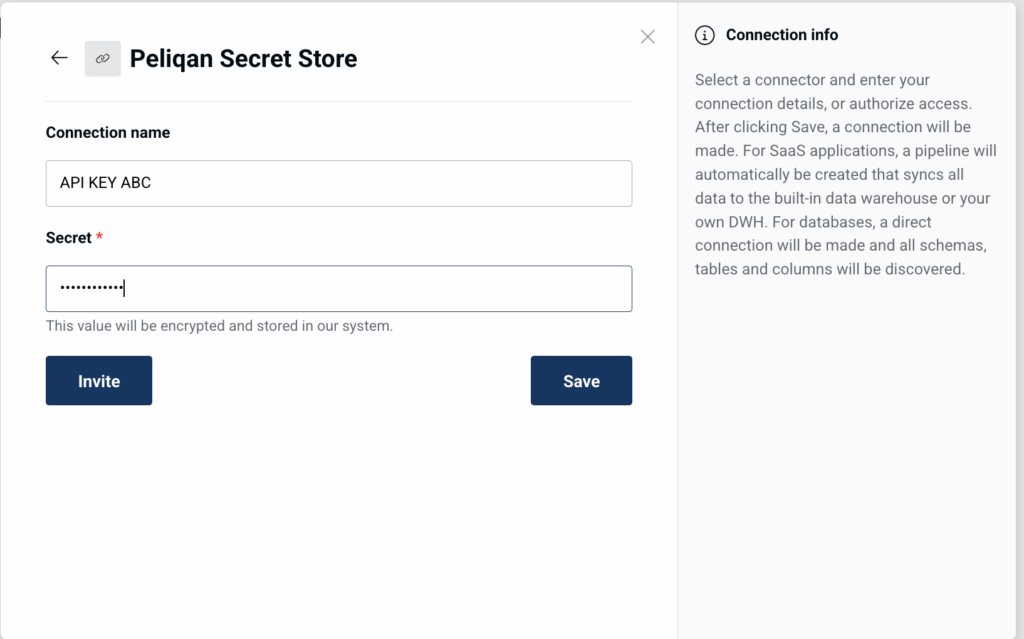
Step 1: Create an API key and save it in a Secret Store. In UbuntuFabric, go to “Connections”, click on “Add new connection” and select “Secret Store”. Give it a name, e.g. the name of your consumer and enter a key. Note down the API key first and communicate it to the consumer.
Step 2: Use pq.get_secret('<connection_name>') to retrieve and verify the API key used in the API request, e.g. from the X-Api-Key header.
Example code:
def check_authkey(client, api_key):
    return pq.get_secret(client) == api_key

def handler(request):
    headers = request['headers']
    client = headers.get("X-Api-Client", None) # Needs to match the name of a Secret Store
    api_key = headers.get("X-Api-Key", None)

    if not client or not api_key:
        return {'status': 'unauthorized'}
    if not check_authkey(client, api_key):
        return {'status': 'unauthorized'}

    # Handle the API request here
Note that the API endpoint you’ll assign to this script will require to have Authorization set to Public, as the API key validation is done in the the script:
Implementing custom authentication with automated creation & encryption of API keys
Below is an example API handler script, to implement your own authentication mechanism with a high amount of API keys, that are stored encrypted in a table. In this scenario, the API keys can be created automatically from a script (e.g. for each user in a database). This allows you to distribute individual API keys to multiple consumers of your API and e.g. apply row-level data access.
The encryption key (your secret to encrypt & decrypt API keys) can be stored in the UbuntuFabric Secret Store and retrieved using pq.get_secret(”<connection_name>”). Add a connection of type “Secret Store”, set an encryption key as the value and give it a name e.g. “Encryption secret”.
You can add a new API key using the function add_new_api_key() from a separate script. Make sure to create a table named api_keys first (in schema api_keys), with an "id" column and a "api_key" (string) column.
The API key can be set in the Authorization header when calling your API endpoint. If a valid API key is used, the api key id will be retrieved. You can apply permissions based on the API key id before sending a response. For example you can filter data based on the API key id (row level permissions).
Click here to see the API handler script
import base64
import hashlib
from Crypto.Cipher import AES
from Crypto.Hash import SHA256
from Crypto import Random

dbconn = pq.dbconnect(pq.DW_NAME)

def encrypt(key, source, encode=True):
    source = source.encode('utf-8')
    key = SHA256.new(key.encode('utf-8')).digest()
    IV = hashlib.md5((source.decode('utf-8') + key.hex()).encode('utf-8')).digest()[:AES.block_size]
    encryptor = AES.new(key, AES.MODE_CBC, IV)
    padding = AES.block_size - len(source) % AES.block_size
    source += bytes([padding]) * padding
    data = IV + encryptor.encrypt(source)
    return base64.b64encode(data).decode("latin-1") if encode else data

def get_encrypt_key():
		# Add a connection of type "UbuntuFabric Secret Store" with name "Encryption secret" and set some key for the value
    encrypt_key = pq.get_secret('Encryption secret')
    return encrypt_key

# This function can be moved to a separate script to add new API keys
def add_new_api_key():
    encrypt_key = get_encrypt_key()
    # Remove the new API key here after storing encrypted API key in DB
    new_api_key = "izPn$2CVLjip^l#qRntakc%0TU3EfUb2"
    new_api_key_id = 123
    new_api_key_encrypted = encrypt(encrypt_key, new_api_key)
    dbconn.upsert(pq.DW_NAME, 'api_keys', 'api_keys', new_api_key_id, {"id": new_api_key_id, "api_key": new_api_key_encrypted})

def handler(request):
    headers = request['headers']
    encrypt_key = get_encrypt_key()

    api_key = headers.get("Authorization", None)
    if not api_key:
        return {'status': 'unauthorized'}
    else:
        api_key_encrypted = encrypt(encrypt_key, api_key)
        api_key_query = f"SELECT id FROM api_keys.api_keys WHERE api_key='{api_key_encrypted}'"
        result = dbconn.fetch(pq.DW_NAME, query = api_key_query)
        if not result:
            return {'status': 'unauthorized'}
       api_key_id = result[0]["id"]

        # Filter data to send in response, based on api_key_id (row level permissions)
        query = f"SELECT * FROM table WHERE allowed_api_key_id = {api_key_id}"
        rows = dbconn.fetch(pq.DW_NAME, query = query)
        return {'status': 'ok', 'rows': rows}